
Everyday AI · Safety & Security
Organize an unauthorized GCash or Maya transaction dispute
Did you see a GCash or Maya transaction you did not authorize and need a clear timeline and support message?
Listen to this guide
AI narration · English · Prompt text stays on the page
Try ElevenLabs ↗ · Affiliate link
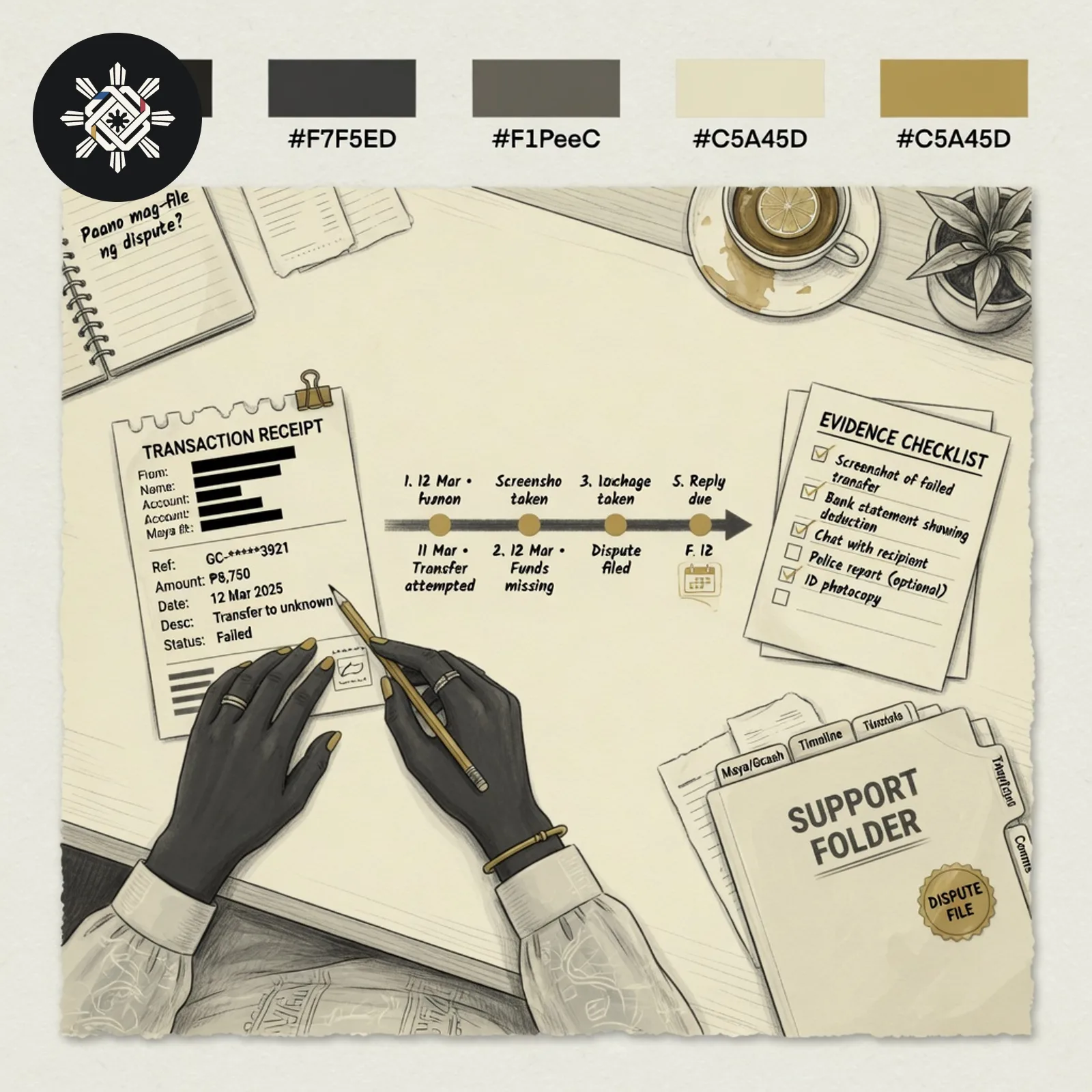
What you will make
A factual chronology, a concise support message, a redacted evidence checklist, and questions for official support — without promising a refund.
What you need
Provider name, amounts, dates/times you can support, merchant or recipient label, and safe/redacted references only.
Before you start
Never paste your MPIN, OTP, password, recovery codes, CVV, full account number, or unredacted ID. Secure the account through the provider's current official app or help center first when that is the right step.
What to do
- Follow the provider's current official instructions to secure the account when that applies.
- Redact screenshots: hide full account numbers, QR codes, and unrelated balances.
- Paste only the facts into the prompt: provider, amounts, times, merchant label, actions already taken.
- Use the AI output as an organizer. Submit only through the provider's current official channel.
- Keep the case or reference number the provider gives you.
Try this prompt
Phrase it as unrecognized or unauthorized. Do not ask the AI to declare fraud proven.
Help me organize a suspected unauthorized GCash or Maya transaction into a factual, support-ready dispute packet. Do not decide that fraud is proven and do not promise recovery.

PRIVACY FIRST
Do not request or reproduce login credentials, authentication/recovery codes, complete payment-card/account details, complete identity numbers/images, or unredacted screenshots. If I accidentally include sensitive credentials or identifiers, tell me to remove/redact them and do not echo them back.

MY FACTS
Provider: [GCASH / MAYA]
Date/time I noticed it: [DATE/TIME]
Transaction date/time shown: [DATE/TIME / TO CONFIRM]
Amount: ₱[AMOUNT]
Merchant/recipient label shown: [TEXT / TO CONFIRM]
Safe reference: [REDACTED / LAST SAFE DIGITS / TO CONFIRM]
Why I do not recognize/authorize it: [FACTS ONLY]
Account/device events I personally observed: [FACTS / NONE]
Actions already taken through official channels: [DETAILS / NONE]
Existing case reference: [SAFE REFERENCE / NONE]

RULES
- Separate observations from assumptions. Use neutral wording such as “I do not recognize/authorize this transaction.”
- Never invent a cause, attacker, provider finding, rule, deadline, refund eligibility or investigation result.
- Never direct me to contact details supplied by a suspicious message. Use independently reached official channels only.
- If current official provider/BSP information is available, separate it from my case facts and state the source/check date.

OUTPUT
1. Immediate safety checklist limited to actions supported by current official provider guidance.
2. Chronological timeline with Facts / To confirm separated.
3. Concise support message I can review and submit myself.
4. Redacted evidence checklist — what to preserve and what to hide.
5. Questions for official support about receipt, status, investigation, evidence and escalation.
6. “To confirm” list.
7. Case log: date | official channel | safe case reference | response | next step.

Do not send or submit anything. End with the safest next official step based only on verified information. If current instructions are unavailable, tell me to independently open the provider’s official app/help center and verify there.See a sample result
Illustrative example. Your answer may differ.
Input (illustrative): GCash. Noticed 24 September 2026, 8:10 PM. Transaction shown 24 September 2026, 7:55 PM. Amount ₱1,850. Merchant label: Sample Merchant. Reference: last four digits only. User does not recognize the charge. No official case opened yet. Example result: Timeline lists notice time and transaction time separately. Support message says the transaction is unrecognized and unauthorized. Evidence checklist asks for a redacted screenshot and case number. No refund promise.
Before you use it: Submit only through the current official GCash or Maya channel. Confirm every amount and time yourself. AI cannot recover funds or prove fraud.
Try this follow-up
Shorten the support message and keep every amount, date and redaction exactly as I wrote them.
If the answer is not right
If the draft asks for an OTP, promises a refund, or invents a BSP deadline, delete that line and ask for facts-only wording.
Philippine notes
- Treat BSP consumer-assistance pages as escalation research leads. Confirm the live process on the official site before you cite a deadline.
- Do not send OTPs or MPINs to anyone who contacts you about the dispute.
More everyday guides
 Did you receive a suspicious video, voice note, or emergency money request that seems real?
 Do you want AI to help with a bill, receipt or money question?
 Did you receive an unsolicited online job offer or work-from-home task and wonder if it is a scam?
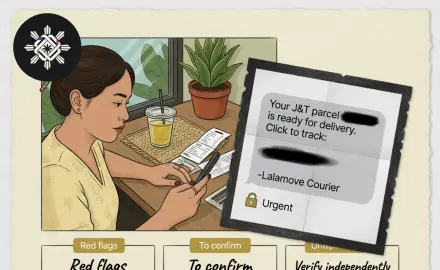 Did you get a courier or SMS message that asks for a fee, a click, or personal details and want a careful red-flag check?